

Join our programme
Boost your child's education
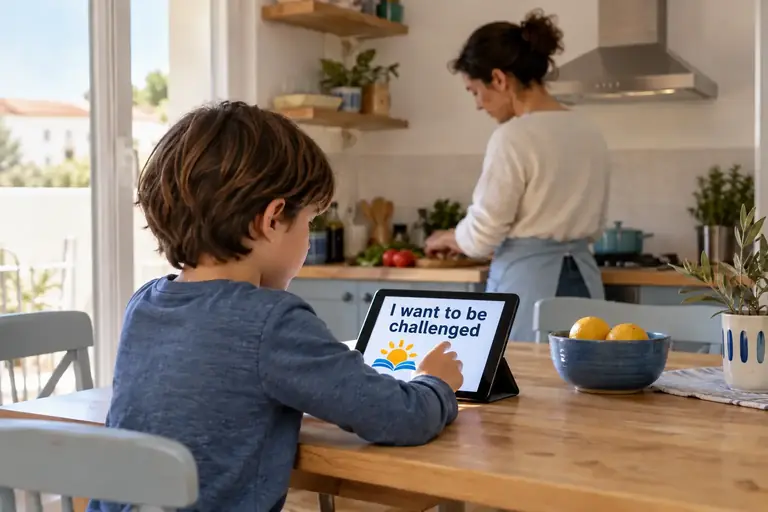
Everybody has their own way to teach their child. Our apps fit into your routine. Practice can be after breakfast or after school, before bed or in exchange for a reward. At home, in the car, at a cafe. These apps are no-effort tool to turbo-charge your child's education.
How to start on your phone or tablet

It does NOT work on iPhone or iPad.
First, find the right Google Account email address
Find the Google Account email address associated with the Android device on which you want to run the app. Use the address tied to Google Play on that device rather than your personal or work email you normally use.
- Open the Google Play Store on the Android phone or tablet.
- Tap the circular profile picture or initial at the top right.
- Find the Google Account email address at the top of the account panel. This is the address you need.
More than one device? You can use multiple Google Account email addresses for multiple devices. There is no limit.

Now you know the email, download the app
Click Download
Choose the app you want. If you are not already recognised for Early Access, a pop-up asks for the Google Account email address you use with Google Play.
Enter the address and press Send
The website admin approves your address
Your Google Account email address is approved for the relevant Early Access test. You receive an email with an access/download link.
Download is available. Install and open.
The Download link takes to you the play store and then simply press 'Install'. That is it! Simply open the app and off you go.
Downloads and Early Access need internet access. Normal practice in the installed app works offline. Read our Privacy page
Repetition means you need to repeatPractice means times not time
Any discipline where you need to learn the basics requires putting in the time on a regular basis. Whether playing scales on a piano or hitting a tennis ball, the foundations to your child's education are the same. Progressing in math will crawl forward if you cannot do mental arithmetic, and creative writing will be laborious without conjugation. With each app you need to commit regular time. This is why they are divided into bite-size chunks that you can fit into your already busy schedule.
Before making a plan, get your child to use the app several times so you can assess their current level for yourself. Do not set any targets or offer any prizes, simply let them do it at their own pace and see where they are. After that you can decided where you want them to be and the timeline you think it is fair for them to reach it. Our aim was not to get our children to 100% in everything but to identify weak areas and boost them up to be at what we consider a good enough level. However you can use the app in any way you want to.

What to do next
For now, we are leaving the apps restricted to our Early Access group. We want to grow the parent community that are committed to helping educate their children and sharing the resources that will help them.
I will let you know when new apps are released.
The plan is to eventually open it to the world and let anybody use it but I have no idea how many people that will be and at the moment the whole project is funded out of my own pocket. Web site development, hosting, software licences, application programming and development, testing, Q&A, are all from the Temple family budget.
For now the only thing I ask is that you give me honest feedback on the application. It is always a pleasure to hear when I am able to help other parents. The other is if you really like it then leave it a great Review on the Google Play Store. This is important as it builds trust with other parents to download it. I know many of you using it personally right now but as the community grows then this will not always be the case.

Quick answers
Installation, Early Access and everyday practice.
Does my child need an account?
No Nice Education account is required for normal practice. To get an Early Access app, an adult supplies the Google Account email address used with Google Play on the Android device.
Does it work on iPhone or iPad?
No. The apps only work on Android phones and tablets.
How do I get an Early Access download?
Choose Download on an app, enter your Google Account email address if prompted, and press Send. After approval, use the emailed link or return to the website and press Download.
Are there adverts?
No. The educational apps do not contain adverts.
Are there in-app purchases or subscriptions?
No. The apps are free to download, with no in-app purchases or subscriptions.
Does the app need internet access?
Normal practice works offline. Internet access is needed for the website, Early Access registration and downloading through Google Play.
Do I need to configure anything?
Nice Education adds no configuration or login inside the app. Install it and tap its icon to start. Any Android or Google Play parental controls still apply.
How long should my child practise?
There is no compulsory session length. Use the bite-size activities regularly and choose a routine based on your child’s starting point and the areas you want to strengthen.
Are the apps a replacement for school or teaching?
No. They reinforce skills already introduced. If an idea is not understood, revisit the explanation before returning to practice.